
Category Archives: Projects
Facebook gathers residents to discuss times gone by and feelings of nostalgia
By BRITTNEY NESET bneset@faribault.com | Posted: Friday, May 22, 2015 2:06 pm

“You knew you grew up in Faribault when…” is a Facebook group with approximately 3,200 members. (Screenshot of “You knew you grew up in Faribault when…” Facebook group)
When most think of Facebook, images of teenagers taking selfies and notso casually checking in on a former love all come to mind. But one group throws out those stereotypes and welcomes people of all ages to talk about a time gone by in a city they all love, Faribault.
A feeling of nostalgia and looking for connections and memories from the past has brought many current and former Faribault locals together in the Facebook group “You knew you grew up in Faribault when…”
With a group that has approximately 3,200 members, nearly 1,100 of those joining within the last year, it’s really no surprise why the group is such a popular one among locals and those who once lived in Faribault.
The group is also home to users of all ages. There are members who are still in high school while there are also those who graduated from high school 50 or more years ago. Brian Klier, the current owner of the group and Faribault local, says he wants to keep the group
fun and positive while sharing the great history of the city.
“Part of what excites people about Faribault is its history.” said Klier. “I think just about everybody that lives here wonders how we evolved from a town with horse stables near Central Park, to a city with more than 23,000 people.”
The local Facebook group that brings people from town and out of town is run by a handful of people. No one is really sure who started the popular group on Facebook. When asked, members responded with a few guesses with who the original owner of the group was, but all of the guesses came up short.
Klier said that the group was originally started in early 2010 but for now, whoever started “You knew you grew up in Faribault when…” will remain a mystery.
“Whoever created the group knew what they were doing and saw the need for sharing history with past and future generations,” said Brian Schmidt, a board member of the Rice County Historical Society. “It’s an awesome thing for Facebook and the city of Faribault.”
Other than simply running the group, Klier has other ties to Faribault history.
“I guess you could say I’ve been in Faribault and surrounded myself with Faribault all my life,” he said.
Klier’s father owned an electronics, radio and computer repair shop on Seventh Street Northwest in Faribault in the 1980s and early ‘90s. He also attended Faribault High School and South Central College and now works full time as one of the district’s IT technicians.
Klier’s ties to the Faribault School District is one of the reasons why he can supply such great, vintage photos to the group. A majority of the photos he posts came from the Faribault Middle School or Faribault High School media centers.
“The Faribault Junior High School (now Middle School) used to have a Camera, Video, and
Computer club. When I was a member of this club, I recall those interested in photography could learn photography techniques and then check out a camera so they could take pictures and have them developed,” said Klier. “The photos seen on the group have many unknown authors, but thankfully the original slides and prints were kept in good condition.”
When Schmidt was young, he used to run around the brewery that had been in the Fleckenstein building and collecting old items from the building started his love for history.
It has also inspired him to try and help preserve it for Faribault and other cities in Rice County.
“I think this group is awesome,” said Schmidt. “We needed something for the history of Faribault that past and future generations can find out what happened all those years ago.”
When asked about their favorite moments or memories on the site, neither Brian Klier nor Brian Schmidt had one concrete answer.
Klier loves stories that run parallel to his own life and experiences in Faribault. He also enjoys when people recall their memories of playing video games at Magicland as well as their “May Bottke” stories.
Schmidt, on the other hand, couldn’t pin down one particular moment or memory from the group that he likes more than the others.
“I like when people post other stories and I get to go ‘oh, that’s how that really worked or operated!’” said Schmidt. “Every story is intriguing to me.”
The Facebook group offers a place to gather and discuss topics of years gone by. The group’s news feed is updated multiple times a day, with members and former members of the community recalling their childhoods or other fond memories of the past.
The community also offers insight on topics that a person may be unsure of. If you post in the group with a question, it’s almost certain that the members will have some sort of answer for you or at least a suggestion on where to start looking.
Not Only for Baking Bread…
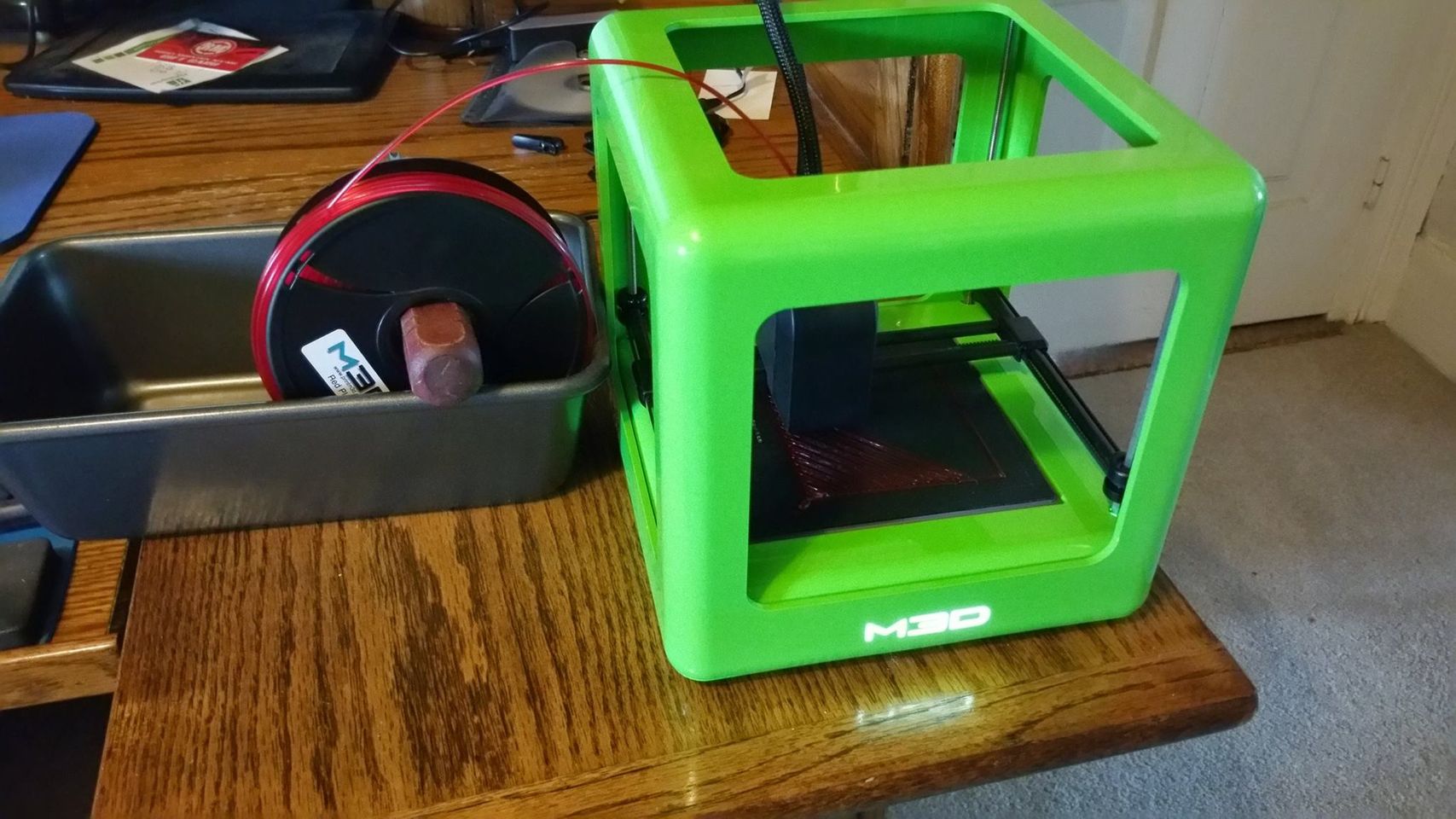
Entering the highly experimental world of 3D Printing today! First, I’m printing a spool holder so I can make bread again…
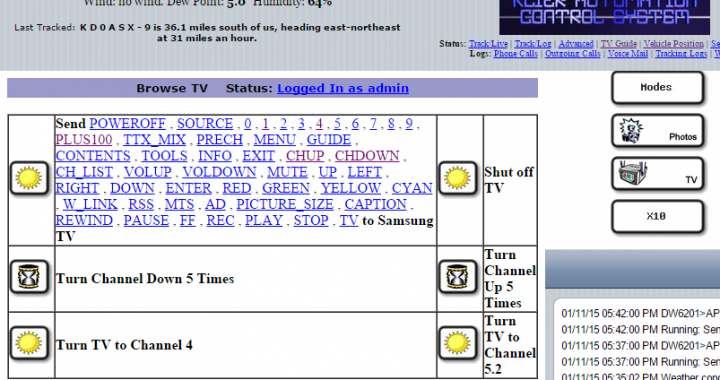
MisterHouse control for a Samsung Smart TV
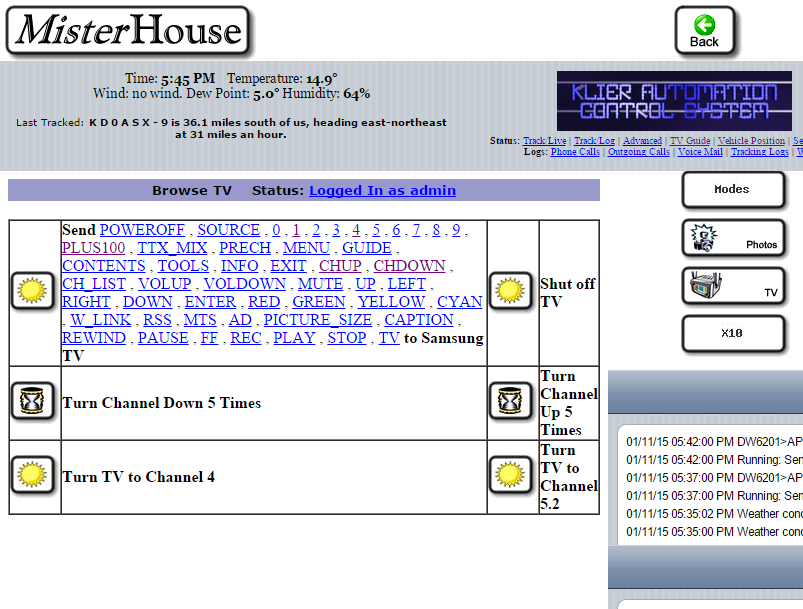 Another piece of my home, now automated. With assistance from a thread on the Samygo forum, I created a module for the MisterHouse Home Automation System which allows it to control a network-connected Samsung Smart TV. For instance, when you leave the house for more than 10 minutes, it could turn the TV off for you. It could also switch the TV automatically to match your favorite show schedule, or switch to an HDMI input to monitor a surveillance camera if motion is detected on your property. It’s available right here for free: https://gist.github.com/hollie/ed1fa39871e93e36e24e. It’s written in Perl so it’s cross-platform or can be adapted for other uses.
I’ve tested this with my Samsung UN40EH5300 and it works well. It should work on pretty much any Samsung TV that has an open port 55000. The code is based off of another Perl/HTML program from http://forum.samygo.tv/viewtopic.php?f=12&t=1792 created from some Wireshark traces.
To use this code, you’ll have to modify a few things:
– Change the IP 192.168.2.155 below to your own TV’s IP Address.
– Change $myip to your MisterHouse server’s IP Address.
– Change $mymac to your MisterHouse server’s MAC Address.
Copying Number Munchers from PC Compatible through null MODEM cable to Apple //gs
Having been an Apple ][ enthusiast for 30 years, I often wondered if there was an easy way to download Apple disk images off the Internet and somehow transfer them over to an Apple to use. It so happens a program called ADTPro is available to accomplish this task with an easy-to-build null MODEM cable.
Home Wireless Security
“Snow, Snow, and More Snow!” Chad, Doug, and myself went quad riding at Tri-County on March 10th. It was fun while it lasted, but now we’ve got over a foot of snow on the ground again. I’ll be bringing you more fun riding updates as we get into Spring, but for now, here’s an article on home wireless security that I wrote for our Technology newsletter at work. Hope you’ll enjoy!
Home Wireless Security
By Brian Klier
Every time I go to Best Buy, it seems like I need to make that one “impulse buy” before I can leave the place. There are so many new and fun gadgets around to play with that are supposed to make your life easier or more entertaining.
For many, the wireless access point is the ultimate “impulse buy”. Just the thought of being able to do your schoolwork from out on the patio, all the while having Internet access, is simply too great to pass up. You grab the wireless access kit, pay for it at the checkout, and bring it home, smiling the whole while. Once home, you plug in your new wireless access point, and turn on the wireless on your laptop. “This is every bit as good as I envisioned!” However, what most people don’t realize is that now your neighbors are also having a great time, on your bandwidth, on your local network … even that creepy guy with the long skinny beard that lives two doors down. Not only are you sharing your Internet connection, but depending on how your home computer(s) are set up (do you have a password?), you may be sharing your personal documents and financial information too.
Manufacturers set wireless kits up to make it easy for you to connect. Most of these kits have excellent security features to prevent this from happening, but around 75% of wireless households in Faribault never read far enough in the manual, or do their own research, to find out how to enable them. While every access point is different in configuration, there are a set of recommendations I have for you to make you aware of the security options you have.
First, change the default Administrator passwords (and usernames) on your access point. Many access points/routers provide a nice Web interface for you to configure the device. Be sure the first thing you do is to change your password on it. Default passwords are simple and very well-known to hackers on the Internet.
Next, turn on WPA or WEP Encryption. Every access point has the feature to enable some sort of encryption. It is important to note that the data itself IS STILL NOT ENCRYPTED with WEP, but activating encryption forces other people to know your code before gaining access to your network. Pick the strongest form of encryption that works with all devices on your wireless network. You will need to type the same code on your access point and on any computer using the wireless access in able for it to work.
Also, very importantly, change the default SSID. Access points and routers all use a network name called the SSID. From the factory, the SSIDs are all set the same. For example, the SSID for Linksys devices is normally “linksys”. If you have a default SSID set on your wireless access point, you are telling the world that “I have not configured my device and I’m most likely insecure”. Be sure to change it, but don’t provide any personally identifiable information in it.
Next, do your own Wi-Fi “site survey”. Walk around your house with your laptop, and find out exactly how far your network reaches. If it reaches too far outside your property line, readjust the access point inside your home to change the coverage area.
Last, and perhaps the easiest way to protect your network (and also perhaps most obvious) is to shut off your access point when not in use. While you may laugh, this is truly the ultimate in security measures. Turn on your access point when you will be using wireless devices in your house, and turn off your access point when you are finished. Hackers and neighbors can’t use what’s not plugged in.
Please take some time tonight, if you have wireless at home, to check these few things on your access point. Break open your access point’s manual, and learn how to protect yourself!
Caption text of picture below: See all the dots? Every dot represents where there is wireless access in Faribault. 75% of these sites are completely insecure. (map and research by Brian Klier)

The State of Home Automation
Check out the Tech Briefing on the W2Knews web site for a nice write up on the state of Home Automation. The author compares the state of Home Automation in the present, to the computer industry in the early 80s. Is Home Automation going to become as common as computers our in the household right now?
From the March 14, 2002 edition of “W2KNews” Magazine…
The State Of Home Automation
Last week I went to Orlando and visited the Electronic House Expo. Very interesting. It reminded me of the early PC shows in the eighties — small, just a few large and lots of small players, and no standards to be found. A telling tale was the guide I found for a coming expo in Seattle, the www.connectionsconference.com guide had a standard for every letter in the Alphabet.
A whopping 26 different “industry standard” organizations have thrown themselves in the alphabet soup fray, varying from Bluetooth to HomePlug, HomePNA, UPnP, WAP to X10. It’s dizzying! But everyone agrees it will soon become an 8 Zillion dollar industry. Sound familiar? MS-Dos, CP/M or DR-Dos, anyone?
There are a few big names trying to establish some sort of order, like for instance the UPnP (Universal Plug and Play) Forum promotes TCP/IP-based seamless proximity networking for the home and the office. They have their mission statement on a website and are backed by an impressive list of 450 outfits including Microsoft, General Electric, Intel and practically all major hardware manufacturers. I learned at the show that GE is building Windows XP embedded in their intelligent home devices.
http://www.w2knews.com/rd/rd.cfm?id=020314TB-UPNP
But there are also many other groups, take the HomePlug Alliance as an example. These people are committed to making home networks using your existing powerlines are reality. They compete head-to-head with the HomePNA that tries to do exactly the same thing over your existing phone lines!
This new market looks like a large roulette table at the moment. There are a lot of players from different industries (IT, Power companies, Telecom, Appliances) that have all different starting points and agendas. All of them are placing their bets on the table, with many players betting on more than one number and signing up for several of these standards alliances. The problem is of course that all this stuff needs to interface with each other and there lies the rub. Faites vos jeux! The issue is that there is no real “killer app” that will drive this industry. Entertainment comes close but just by itself is not cutting it, and Home Office is a second potential killer app but also not powerful enough to drive full home automation.
You can also compare it with a bunch of rivals that all eye a large chunk of loot, and everyone is positioning, weaving and bobbing to be in the best spot to start reaping those zillions. The divergence of all these different technologies has been closely followed by Microsoft and obviously they want to play a major role in this whole game. However, there are some other powerful (pun intended) players that are opposing that with all their might and hate to see MS move into their turf.
Admittedly it is a challenge to make all this work together:
 | Wired and wireless networking |
| Distributed Audio and Video |
| Home Theater |
| Security / Closed Circuit TV |
| Secure internet access |
| Lighting control |
| Heating, Ventilation and Air Conditioning control |
| A whole bunch of other stuff that will be here “Real Soon Now” |
And have all of that available from one console and a non-tech enduser that needs to control all of that. Can you see the potential support nightmare?
So, what does a techie do who wants to start automating their home? Well, from what I see, there are a few options. The low-end is X10 which if you implement it well will work fine but is slooow. There are a few other standards, LONworks and CEBus. These are faster and definitely more advanced. Simplifying it big-time, they are 2-way as opposed to X10 which is just one-way. X10 devices cannot answer back after they receive a command.
And then there is UPnP. Think local network neighborhood on your home server, and ALL your home devices show up, from the fridge to the air conditioner to all the lights to the garage door as well as the other PCs, printers and wireless devices you may have. Sounds cool doesn’t it? Too bad it is still a while before we will see it, for the moment it is vaporware. The stacks are not even released but are supposed to see the light in Q2. I would not expect any consumer devices until 2003.
At the Expo, the latest thing that everyone seemed to push was video over CAT5E. In other words, the sales reps were saying, “you do not need that cumbersome and expensive coax anymore”. There may be a point to that, but you don’t know what killer app will emerge which would need mega-bandwidth. Not having the coax would be a real problem at that point. So, the solution is to “flood-wire” (a term I picked up at the show) your home with structured wiring so that you are prepared for any kind of thing that will surface.
You can start with X10 if you want, and upgrade later to a new standard which will certainly come. From what I understand, they will be backward compatible. I would stick with the large players as these have the best chance to survive the coming consolidation and inevitable shake-out period. The largest and oldest player in the home security bizz is HAI, and their OmniPro II is a pretty powerful piece of gear which even comes with an Ethernet port. I decided I’m going to get one myself. For structured wiring and X10 stuff I would check out Leviton at:
http://www.w2knews.com/rd/rd.cfm?id=020314TB-Leviton
MailTalk, “The E-Mail Reader that talks”
Watch this space for information on the public release of MailTalk, “The E-Mail Reader that talks”. This mail program, designed for sight-impaired individuals, sends and receives E-Mail using very little system resources. Matter of fact, it’ll run on any DOS-based IBM Compatible with a Sound Blaster compatible sound card. And it’s distributed as freeware! Until I get more information on the web, feel free to E-Mail me if you are interested.
Portable APRS on a TouchScreen Webpad!
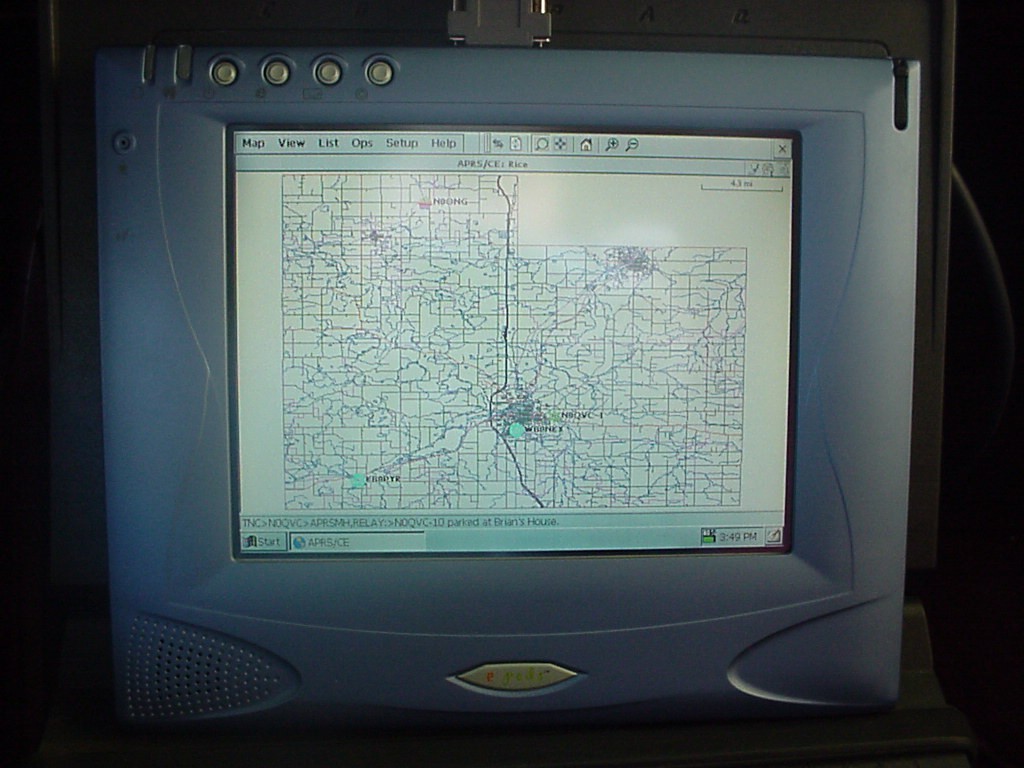
Looking for the ideal portable APRS Setup? Click here for an article on APRS for Windows CE, using the Epods Color TouchScreen Webpad!
The MisterHouse/APRS Tracking System
Welcome, “Home Automation” magazine subscribers! Please look below If you are interested about hearing more about the MisterHouse/APRS Tracking System published in the July 2001 issue. Miss the article? Click here for a scanned copy of the article. You can view my original copy of this article by clicking here. If you are not a subscriber to Home Automation magazine, visit their website for more information.